
How to configure Exchange mailbox in Outlook for iOS
Note: This does not apply to Office365 accounts. If you need to setup an O365 account, please seek the applicable article.
- Open the Outlook app.
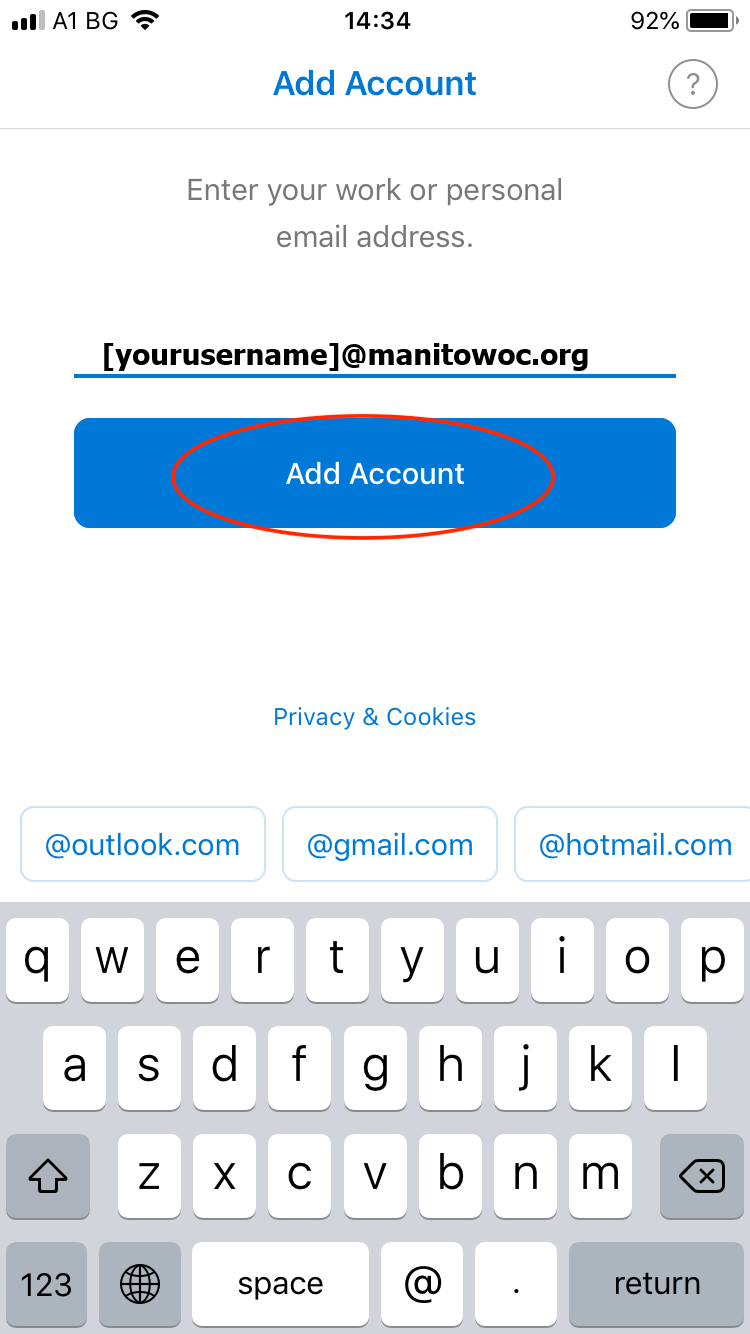
- Type in your Exchange mail address and tap on “Add account”.
- Type in your “Password” and tap on “Use Advanced Settings”.
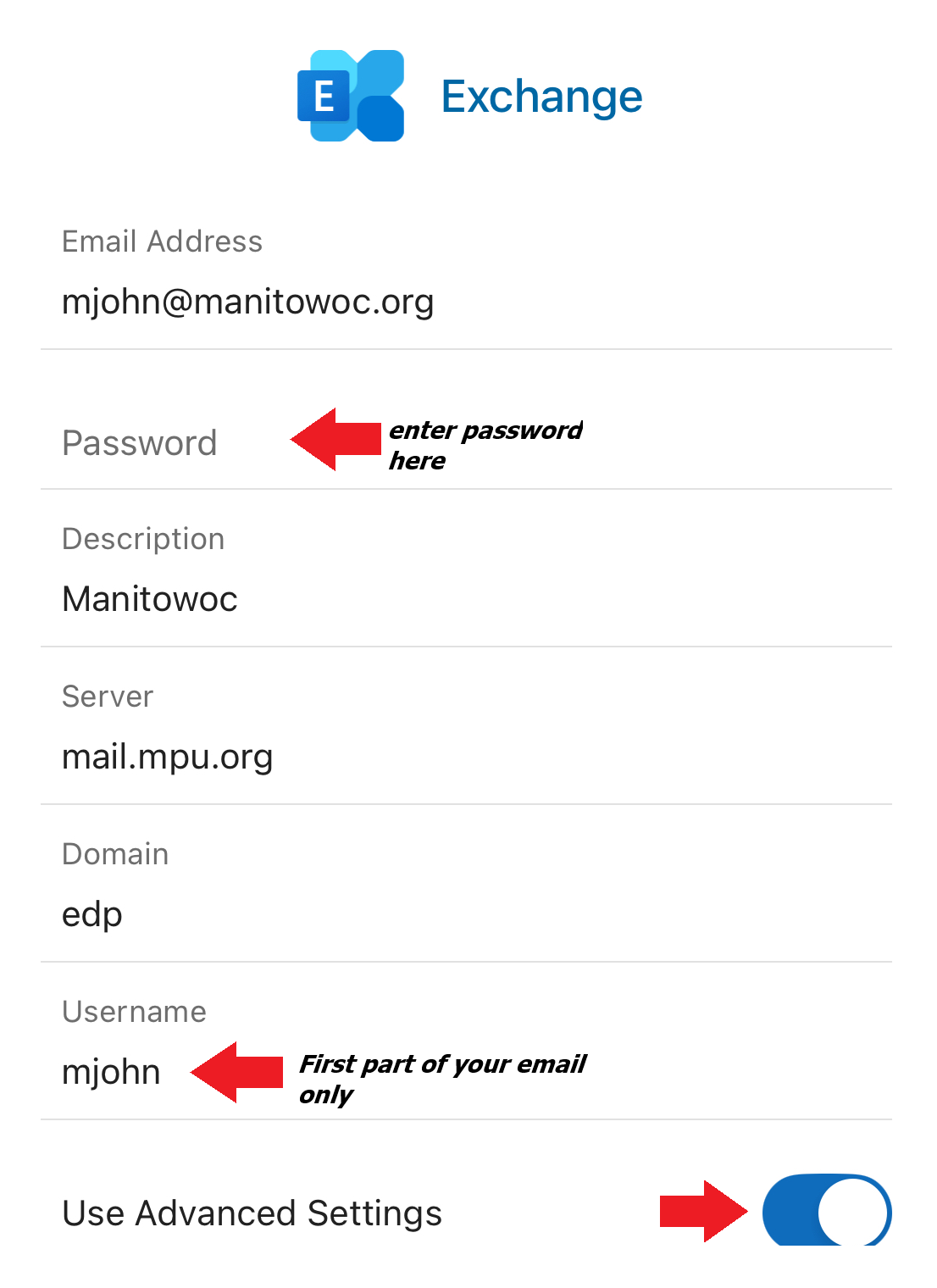
- On the next screen:
- Your full email address should be automatically filled in
- For Password, repeat your strong password
- For the server, enter “mail.mpu.org”
- For the domain, enter “edp”
- For the username, enter the first half of your city email address
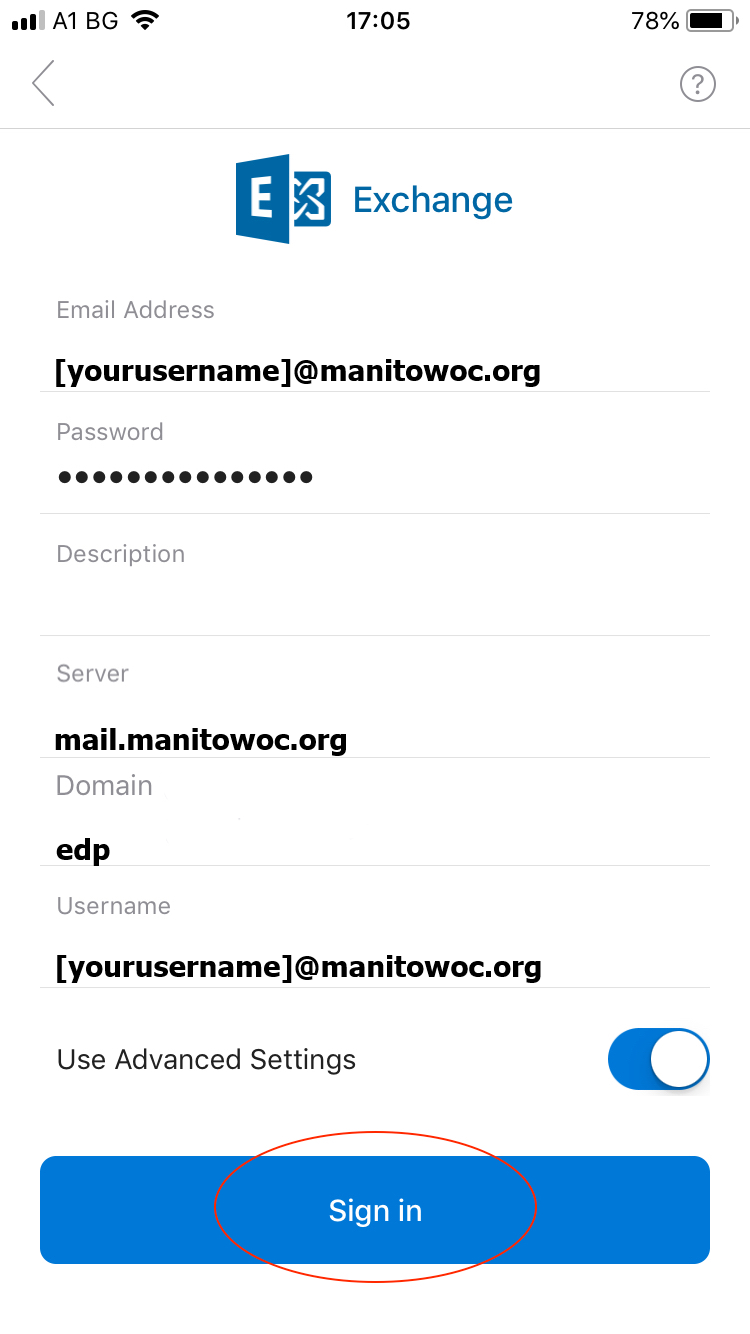
Tap on “Sign in”
- Your Exchange mail is ready.