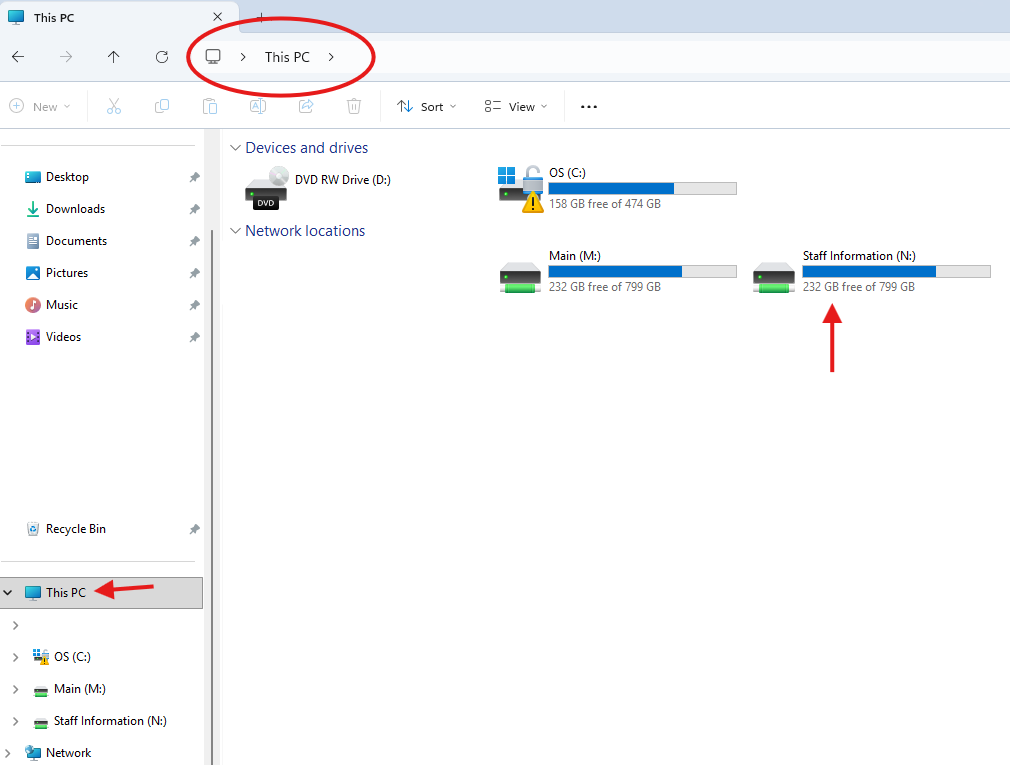
All staff computers are configured to display the shared file drive known as staff information under "This PC". Below is a screen shot of an example of a staff workstation.
Ways to access Staff Information:
- Open File Explorer (vanilla folder in taskbar) navigate to "This PC" (red arrow below) within side bar
- Use the address/path bar (red circle) and type in "This PC" without quotations
Please note: Staff Information found elsewhere else (like a desktop) is not standard and will not replicate on different workstations.